Your papers and notes, in the browser or on your desktop
From the passage to the next question.
PAPERS + NOTES + CONNECTIONS
CONTEXT, KEPT CLOSE
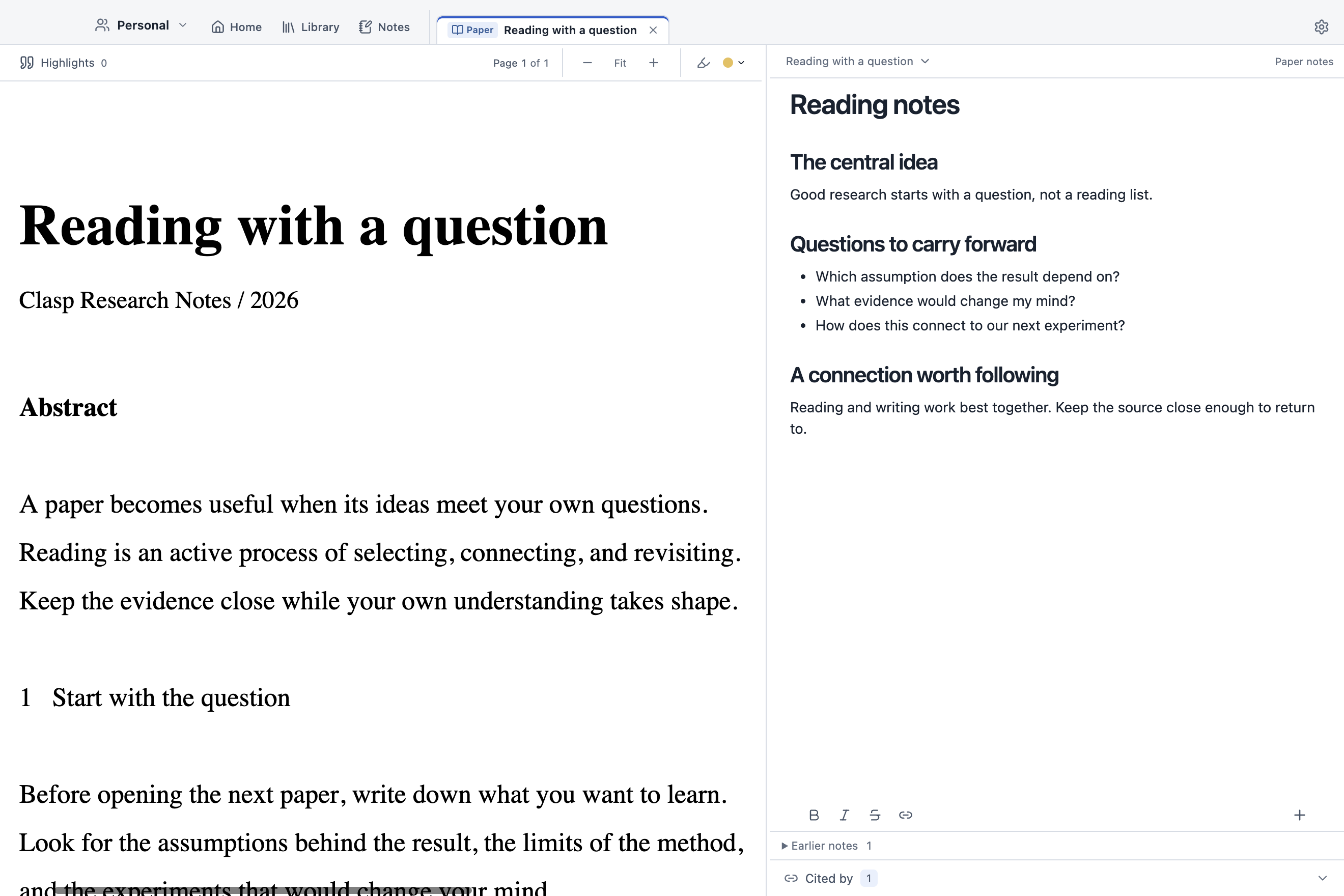
The source. Your thinking. Side by side.
Give each paper a place for the questions, passages, and observations that make it yours.
The Clasp reading workspace on macOS, with sample research.
01 / READ
Stay with the argument.
Read a PDF beside its own note. Highlight a passage and bring it into your writing, with a link back to the source.
02 / CONNECT
Follow your own questions.
Write independent research notes. Type @ to connect people, papers, and ideas, then follow those links without losing your place.
03 / SHARE
Build on it together.
Keep a private Personal workspace or invite collaborators by email. Edit notes and PDF highlights together, with view or edit access and matching profile icons and live cursors.
A LIBRARY YOU CAN RETURN TO
Less searching. More thinking.
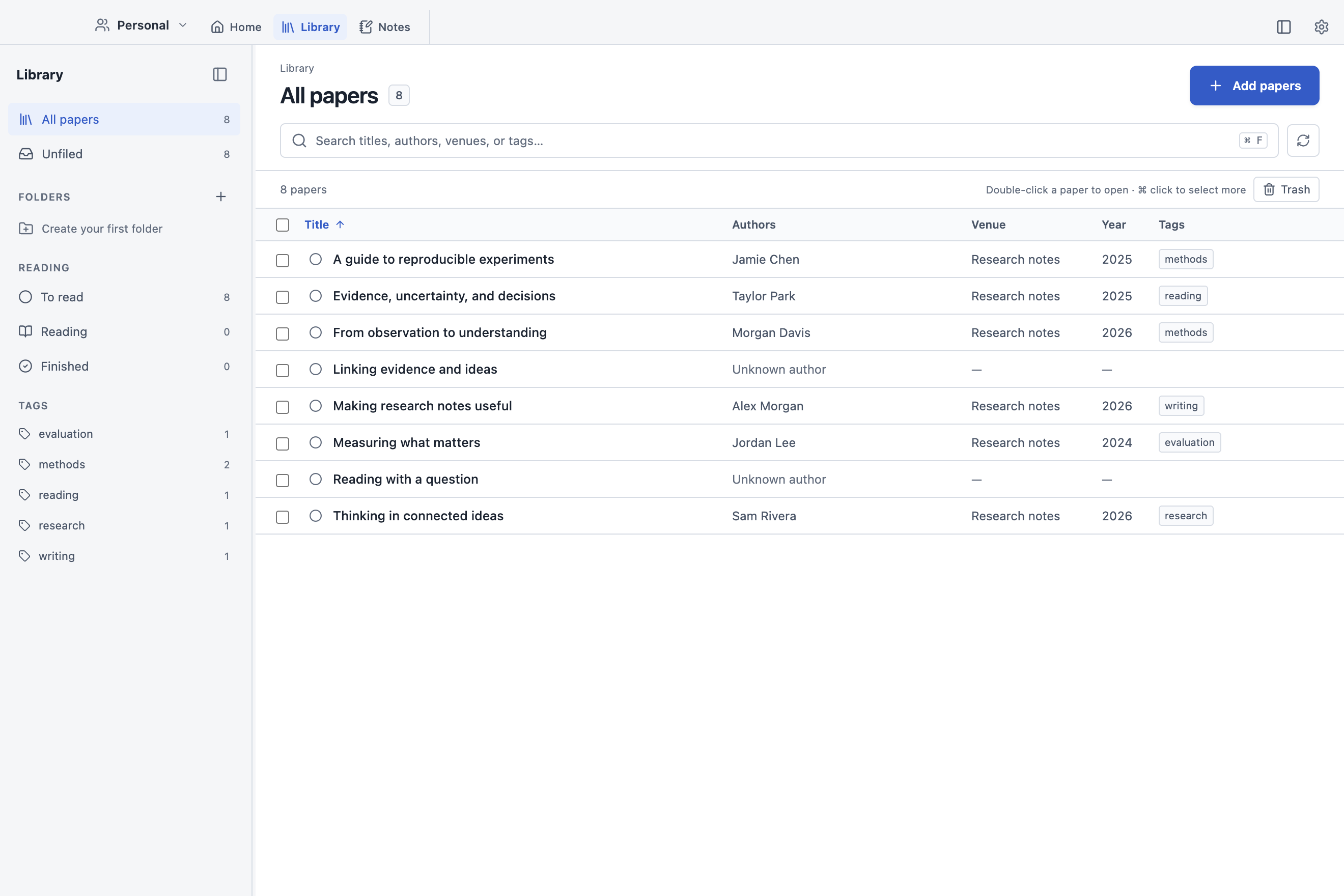
Bring in a local PDF or import a paper from a scholarly link. Organize your reading with folders, tags, and reading status.
Notes stay in Markdown. Equations, tables, images, and citations belong right beside the text.
A sample library in Clasp on macOS.
MAKE ROOM FOR YOUR NEXT IDEA
Clasp for your desktop.
Apple Silicon 1.1.18 · Browser 1.1.18 Intel, Universal and Windows 1.1.17
Clasp 1.1.18 is now available for Apple Silicon Macs and in your browser, with smoother shared editing and new formatting options. Intel Mac, Universal and Windows downloads remain at 1.1.17.
Write and move the cursor more smoothly in long shared notes, with less memory used during typing.
Add callouts with editable titles and colors, apply text colors, and keep formatting when copying and pasting.
Keep shared edits and Undo more reliable when rearranging note content or reconnecting.
Open workspace settings while people and invitations refresh in the background. Invitations and access changes can finish after closing settings, with a completion or error message.
Apple Silicon only: Move eligible old application backups to Trash while keeping recent builds and a previous-version rollback copy.
Earlier desktop improvements in 1.1.17
This 1.1.17 hotfix improves sync and sharing reliability on Mac and Windows.
Improve sync status and sharing reliability while keeping pending edits available on your device.
Keep local edits available when a sync or sharing request cannot finish.
Copy sync diagnostics from Sync settings when reporting a problem. The report includes app and sync information without note content or account details.
Preserve optional paper citation details when using a workspace with supported earlier versions of Clasp, starting with 1.1.14.
Get a clear update notice if a future service upgrade requires a newer app. Open the download page directly from Clasp while your local edits remain saved.
Earlier desktop improvements in 1.1.16
Open sharing settings without waiting for background synchronization. Pending metadata uploads recover automatically so saved pages can be shared without losing newer local edits.
Add papers using DOI, arXiv, PubMed and PMC identifiers, scholarly links, or local PDFs. Metadata and full-text fallbacks find more papers while preserving main-paper and appendix merging.
Keep useful citation details: publication type, volume, issue, pages, article number, arXiv ID and PubMed ID. The fields are optional and fill automatically when available.
Find exact titles and identifiers first. Search results put title matches ahead of authors, tags, and note-body matches.
Return to large libraries faster while keeping your scroll position, selection, and search filters.
Choose from 18 colors for your profile icon.
Website and product analytics have been removed.
Earlier desktop improvements in 1.1.15
Edit paper properties directly from Library and from a Library view inside a note.
Drag column handles to reorder paper-list columns, or focus a handle and use Alt + Left/Right. Your column order is saved.
Switch between Library and Notes with the persistent tabs. The extra title-bar sidebar toggle and the “Shared notes” label in paper notes have been removed.
Smaller Mac downloads: separate Apple Silicon and Intel installers, stronger compression, and fewer duplicate bundled libraries.
Shared workspaces sync with fewer repeated downloads and less background work.
Pending shared-document edits in the browser are saved on this device before upload and recovered after a reload or reconnect. Storage failures remain visible so unsaved changes are not silently discarded.
Hidden browser tabs pause their connection after 30 seconds when all edits are saved, then reconnect when you return. Tabs with pending edits keep their connection.
Earlier desktop improvements in 1.1.14
Shared note edits sync in batches with fewer queued uploads. Sharing settings open faster, and a visible Show sidebar control restores hidden navigation. Open tabs share live connections efficiently, and background sync keeps paper-details forms open.
Improve writing across adjacent paragraphs, headings, lists and equations. Writing tools use the full current note and associated papers’ readable PDF text for context, while changing only the selected passage.
Move between inline equations and surrounding text, and type / in equations without opening the insertion menu. Use Tab and Shift+Tab to indent and outdent bullets while keeping the caret.
Find Folders beside Highlights in the PDF toolbar. Multi-person properties use compact avatars, with profiles on hover and the full list on keyboard focus.
Read continuous highlight bands across justified PDF prose. Ordinary autosave no longer adds blue dots to document tabs.
Read formatted ChatGPT answers with equations, tables and code, and expandable reasoning summaries when available.
Import cleaner paper titles and prefer verified published PDFs, with appendices when available. Change a paper’s PDF from Library and restore earlier versions with their highlights.
Link workspace notes through Note and Notes properties. Search by title and context, inspect full previews, and save multiple selections together.
Keep paper lists compact with single-line authors. Hover or keyboard focus reveals the complete author list.
Choose multiple folders when saving from Chrome with extension 1.1.2 and Clasp 1.1.14. Existing papers can be filed without creating duplicates.
Includes the earlier improvements to local editing, background synchronization, recovery storage, Library views, filters and paper folders.
BEFORE YOU BEGIN
A few useful details.
Do I need an account?
Yes. Clasp uses an account for your private Personal workspace and the shared workspaces you can access. Sign in inside the app to get started.
Can I work offline?
In the desktop app, downloaded pages and files open from the local cache, and edits save locally while disconnected. New pages and files download when you open them or in the background. Initial sign-in and synchronization need an internet connection. The browser app needs an internet connection to open a workspace.
Can I use my existing papers and notes?
You can import local PDFs, scholarly links, or an existing Obsidian vault. Your notes use Markdown, and highlights can be exported as XFDF or in an annotated PDF.
Which computer should I download for?
For a Mac running macOS 13 or later, choose Apple Silicon if About This Mac shows an Apple chip, or Intel if it shows an Intel processor. A larger universal installer supports both. The Windows installer is for 64-bit Intel and AMD PCs running Windows 10 or later. A native Windows ARM build is not included in this release.
Where can I report a problem?
Open an issue in the Clasp downloads repository. Include your operating system, Clasp version, and the steps that reproduce the problem. Please leave private papers and account information out of public reports.
 Clasp
Clasp